Welcome to the interactive visual gallery demo. In technical publications and architecture documentation, high-fidelity images, diagrams, and schematics require smooth, distraction-free inspection.
Minrock now integrates PhotoSwipe 5 natively—giving your readers instant click-to-zoom, pinch gestures on mobile, mouse wheel zoom on desktop, and keyboard gallery navigation (← / → / Esc).
Interactive Architecture Diagram
Click on the diagram below to open it in full-resolution zoom. Notice how SVG graphics automatically scale up to crisp 1920px rendering:
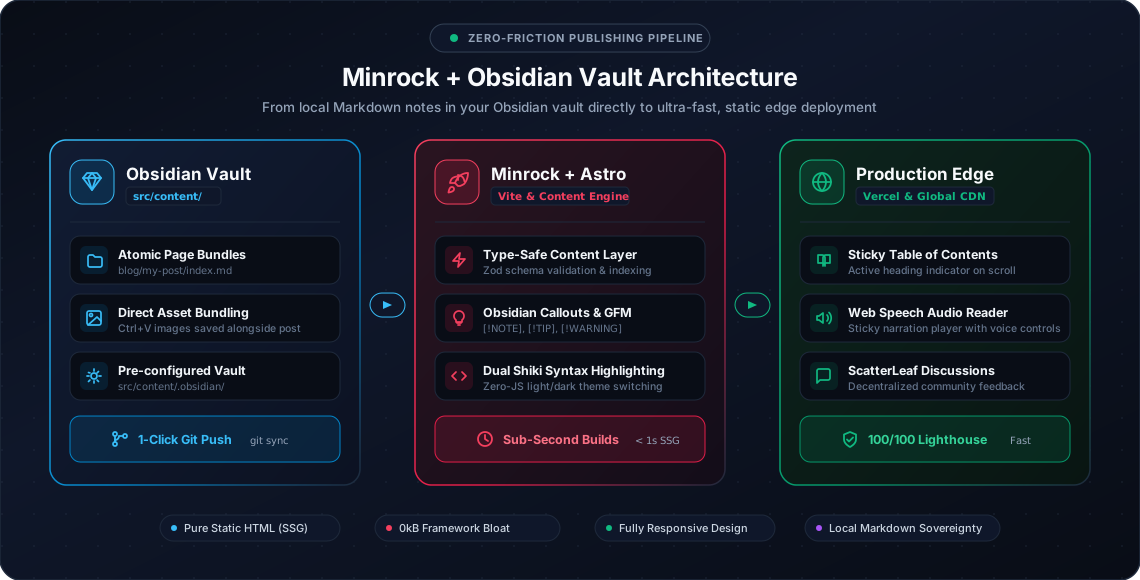
Pro Tip: When PhotoSwipe opens, you can double-click or pinch to zoom deeper into fine-grained labels and connections.
The Four Minrock Palettes
Our theme system offers four harmonious palettes crafted specifically for long-form reading comfort:
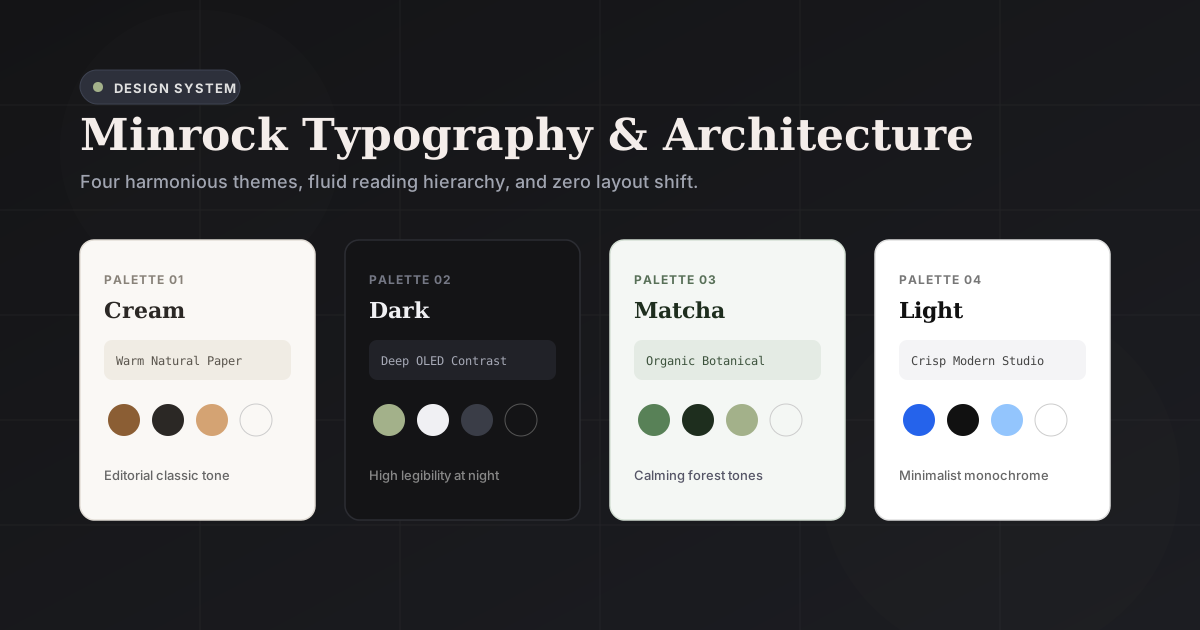
Key Features of the Lightbox
- Zero External Requests: Built with PhotoSwipe 5 bundled directly into the static site assets.
- Gallery Mode: If an article contains multiple images, opening one allows you to swipe or arrow through all of them seamlessly.
- Smart Aspect Ratio Handling: Automatically calculates bounding boxes to avoid layout jumps during opening and closing animations.
- Accessible Keyboard Controls: Full ARIA dialog compliance with focus trap and
Escto dismiss.
Enjoy testing the zoom experience across different viewports and devices!
🍃Discussion & Notes
Iframe-free native comments powered by ScatterLeaf.